
A lot of studying doesn't happen on a phone. It happens at a desk, on a laptop, with a keyboard, a second monitor, and a dozen tabs open. Acadeva has lived on Android and iOS since the beginning, and that's not changing. But if you've ever wanted to read a textbook on a real screen, take notes without tapping at glass, or ask Edima a question without reaching for your phone, today that's possible. Acadeva is now on Windows, macOS, and Linux.
The same account, wherever you sit
This isn't a separate app with its own login and its own library. Acadeva Desktop talks to the same account, the same backend, and the same data as your phone. Sign in and your courses, your books, your notes, your streak, and your points are already there. Bookmark a page on your phone on the bus, open it on your laptop when you sit down to study, and pick up exactly where you left off.
If you're signed in with Apple on mobile, desktop sign-in works a little differently: pair your account from your phone instead of typing a password, and you're in.
Built for a desk, not just shrunk to fit
The easy way to build a desktop app is to take the phone screens and stretch them. We didn't do that. Acadeva Desktop is designed around a keyboard, a mouse, and a wide window, not a thumb. Where mobile pushes you through a sequence of full screens, desktop keeps you in place: a course list sits beside the course you're reading, a picker opens as a quick command palette instead of a new screen, and a book's cover, stats, and discussion all line up in one view instead of a long scroll.
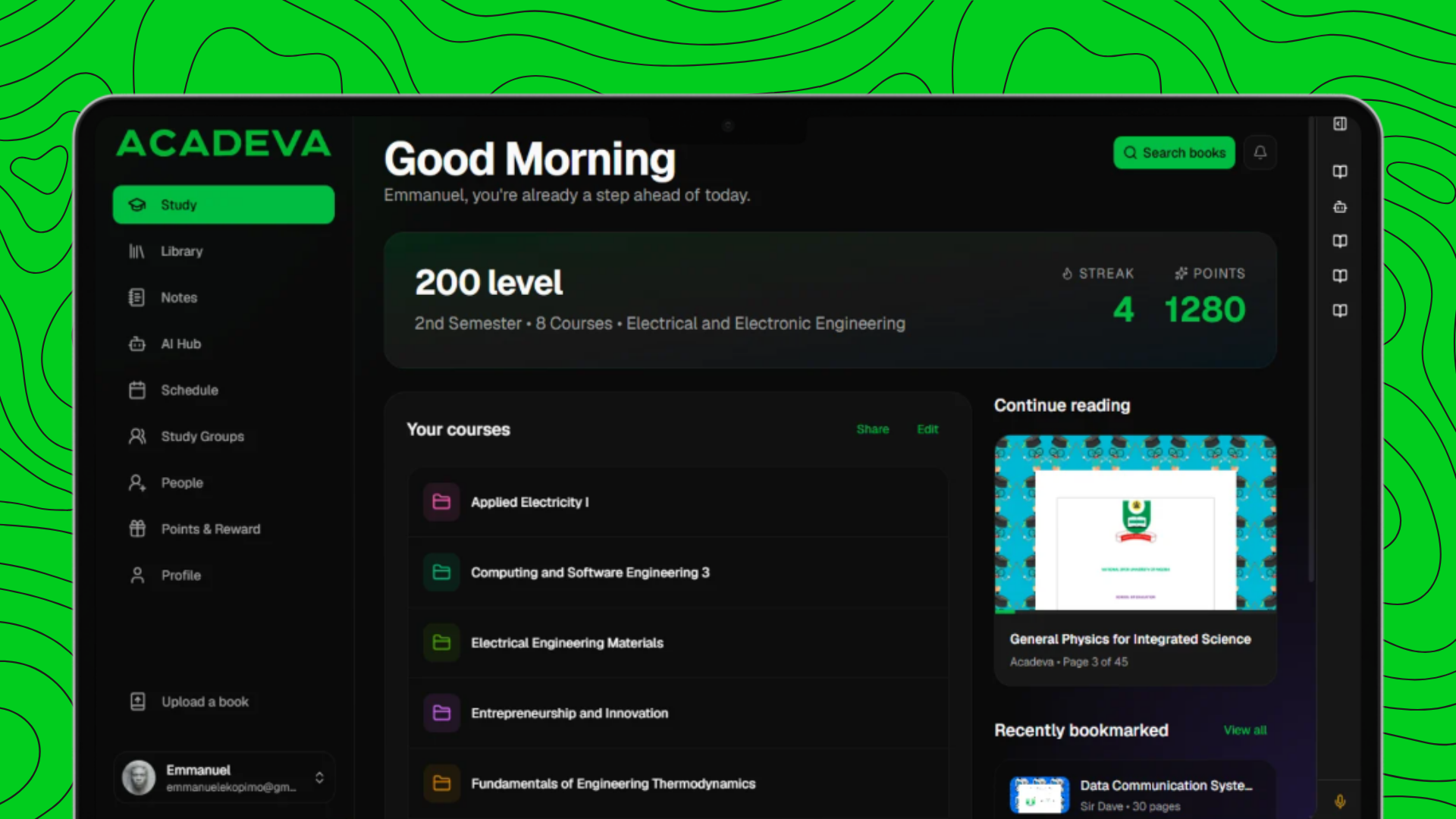
Open the app and your day is right there: your level, your streak, your points, the courses you're enrolled in, and the book you were last reading, ready to continue. It's the same information you'd find on your phone's home tab, laid out for a screen you're not squinting at.
Your library, at library size
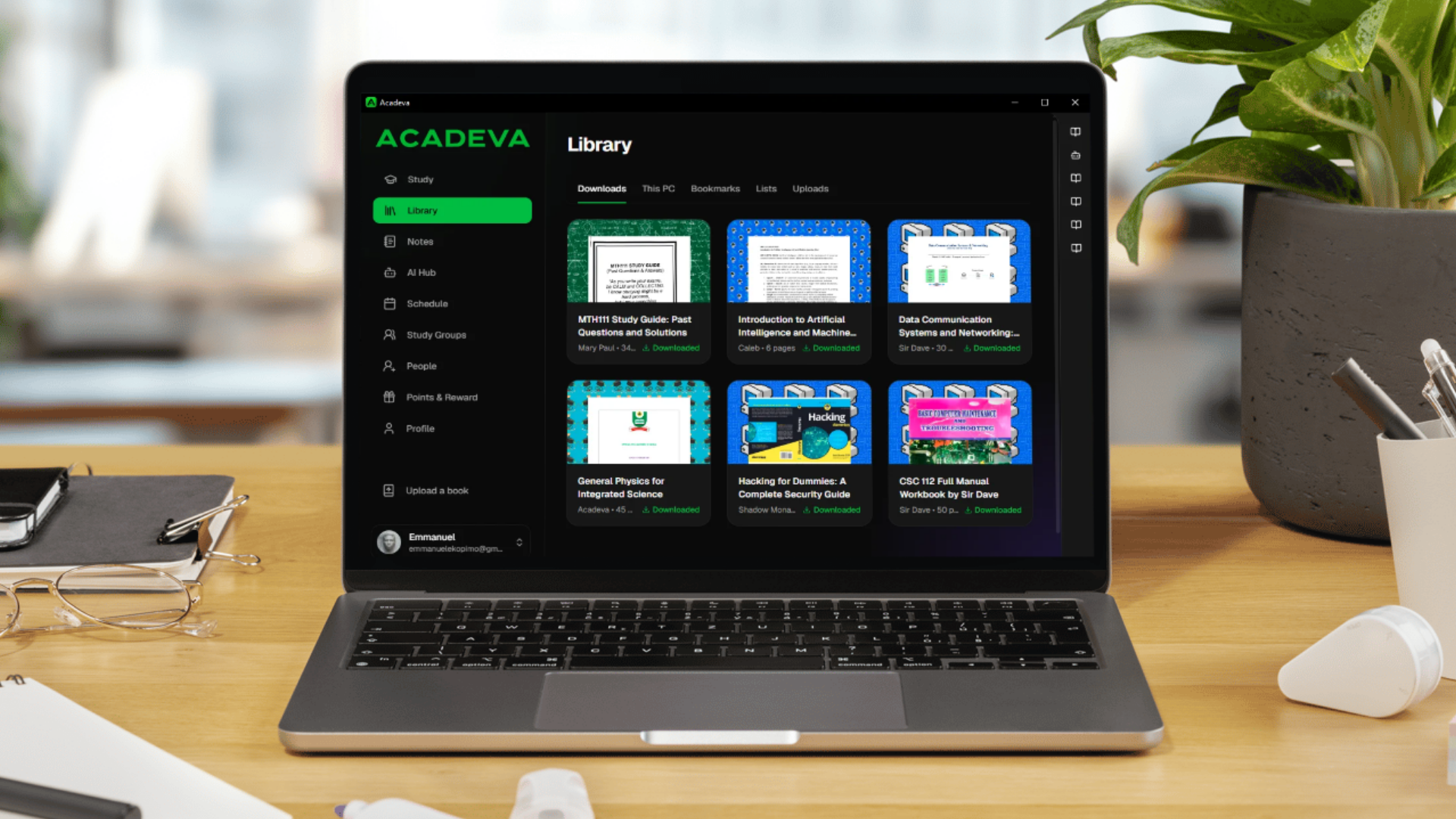
The Library is where this matters most. PDFs and study guides that were always a little cramped on a phone get to breathe on a laptop screen, two pages at a time if you want them. Downloads you've already saved stay available with no connection at all, the same offline reading mobile has always supported. Bookmarks, your custom lists, and everything you've uploaded yourself are all one click away, not a menu dive.
Edima, Quiz Maker, Math Solver, and Lecture Explainer
The AI Hub made the trip too. Chat with Edima about a course the way you already do on mobile, generate a quiz from a PDF, work through a math problem step by step, or turn a recorded lecture into something you can actually study from. Typing out a question or pasting in a block of text is a lot easier with a real keyboard, and that's exactly the point of building this for desktop instead of just mirroring your phone.
Notes, schedule, and the people you study with
Your notes sync the same way they do on mobile, so a note you started in class shows up when you open your laptop later that evening. Your schedule and agenda are there too, easier to scan a full week of at a glance on a wide screen. And your study groups, the people you're working through a semester with, are one click away, not several taps deep.
Why we built this
Acadeva has always tried to meet students where they actually study, not where it's most convenient for us to build. For a lot of people, that's still a phone. But for a lot of studying, especially the heavy reading, the long note-taking sessions, the late-night quiz cramming, it's a laptop open on a desk. Acadeva Desktop exists so that switching screens doesn't mean switching tools, losing your place, or starting over.
This is the first release, and the desktop app is intentionally a step behind mobile in places. We'd rather ship the core of it well, the library, the AI tools, your notes and schedule, and keep building from there, than rush every feature over at once.
Get it
Acadeva for Desktop is available now for Windows, macOS, and Linux. Sign in with the account you already use on your phone, and your studying comes with you.