

If you've used Acadeva, you already know the PDF reader is at the heart of everything. Almost every academic resource on the platform, textbooks, past questions, lecture notes, gets shared and read as a PDF. So if the reader isn't good, the whole app doesn't feel good, no matter how nice everything else is.
Getting it right has honestly been one of our hardest problems. We tried several approaches before settling on what we had before now, and even then it wasn't solid. We were basically patching it every few weeks just to keep it working. The biggest headache was that opening or downloading anything over 10MB would often crash the app. If you've ever had Acadeva freeze up trying to open a big textbook, that was probably why.
The fix that wasn't quite a fix
With Acadeva 2.0, we solved half the problem. The crashing on download was actually our fault: we were trying to load the whole file into the phone's memory at once instead of saving it straight to storage bit by bit. Once we fixed that, downloads got a lot more reliable. We'd also already added PDF compression before this so files wouldn't even get that big in the first place, but that was more of a band-aid than a real solution.
The problem was, even after 2.0, the reader itself still struggled to open large files once they were downloaded. And honestly, it was also just missing a lot of things people expect from a normal PDF viewer, the kind of experience you get for free from something like Google Drive's built-in viewer on Android.
So we started over
We stepped back, did some more digging, and decided the smartest thing to do was rebuild the reader from scratch instead of continuing to patch the old one. It took us about a week of nonstop experimenting to get somewhere we were happy with. It's still not perfect, but it's a massive step up from what we had before. Here's what's new.
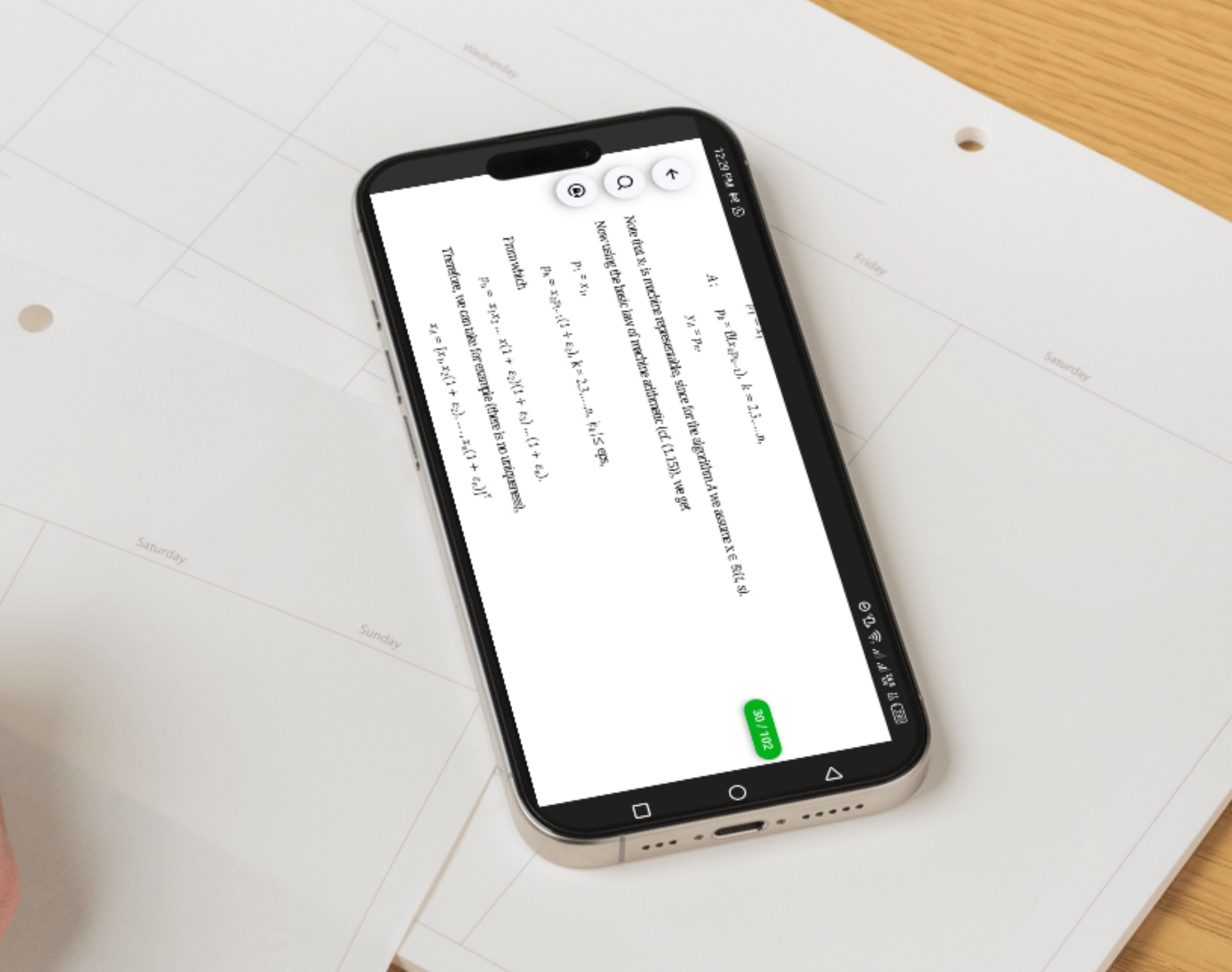
New things you can now do
- Pinch to zoom. You can now zoom in and out naturally with two fingers, which makes a real difference when you're trying to read a small diagram or a crowded table.
- The reader adjusts to how you hold your phone. Turn your phone sideways and the page adjusts properly instead of looking broken or cut off. This helps a lot with wide tables or slides that are naturally landscape.
- It remembers where you stopped. Close the app in the middle of a chapter, come back later, and you'll land right back where you left off instead of having to scroll and hunt for your page.
- You can search inside a document. Looking for a specific word or topic in a long PDF? You can now search for it and jump straight there instead of scrolling through hundreds of pages.
- A scrollbar that shows you which page you're on. You can drag it to jump around quickly, and it always shows your current page number so you're never lost in a huge document.
Annoying bugs we finally fixed
- Big PDFs crashing the app. This was the main thing we set out to fix, and it's fixed. Large files now open properly.
- Pages overlapping each other. Sometimes while scrolling or zooming, pages would layer on top of one another and the whole thing became unreadable until you closed and reopened it. That's gone now.
- Phones hanging or freezing on lower-end devices. Some phones just couldn't handle how much the old reader was trying to load into memory at once. The new one is much gentler on your phone's resources, especially for people using older or lower-spec devices.
Overall, the reader just feels smoother and more natural to use now, and that's something we're going to keep chipping away at. This is a big deal for us, and hopefully an even bigger deal for anyone who's been frustrated trying to read on Acadeva before.
What we still want to add
We're not stopping here. Some things we're excited to bring next:
- Highlighting and notes, so you can mark up important parts of a page and come back to them later.
- Selecting text or a whole page to send straight to our AI tools, like asking for a summary or an explanation, without leaving the reader.
- Bringing the AI tools directly into the reader, instead of making you jump back and forth between screens like you sometimes have to now.
A few other ideas worth thinking about too, in case they haven't already crossed your mind:
- Letting people jump between chapters easily for books that already have a table of contents built in.
- A way to see small previews of all the pages at once, so you can quickly spot the page you're looking for instead of scrolling blindly.
- Bookmarking specific pages separately from "resume reading," since sometimes you want to save a page without losing your actual spot.
- A proper dark or night reading mode for the page itself, not just the app around it, for people reading late at night.
- Letting people select and copy text from PDFs that support it, so they don't have to retype a definition or quote.
- Being smarter about how downloaded files are stored and cleaned up over time, so people don't run out of space without realizing why.
- Syncing your reading progress across devices, since people move between their phone and the desktop app.
- Quietly tracking crashes or slow moments in the reader itself, so we catch problems before students even have to report them.
- Basic accessibility touches, like adjustable text size or read-aloud support, for people who need it.