
Every study group has a daily check-in. On a day the group counts, you tap once, and Acadeva adds a day to your streak in that group. Everyone in the group can see who has checked in.
What you need
- An Acadeva account and a study group you belong to. Create or join a study group explains how.
- A day the group counts, in a group that isn't on holiday.
How check-ins and streaks work
- You check in once a day, in each group separately. Checking in to one group does nothing for another, and each group keeps its own streak for you.
- Only active days count. A new group counts Monday to Friday, and an admin can change the days. A day the group doesn't count never breaks a streak, so a weekend off costs you nothing.
- Your streak is the number of active days in a row that you've checked in. Check in on the next active day and it goes up by one.
- If you miss an active day, your streak drops to zero. Your next check-in starts it again at 1.
- If you haven't checked in yet today, your streak still shows, as long as you checked in on the last active day. It only drops once today has passed with no check-in.
- "Today" follows the time zone saved on your account. A day runs from midnight to midnight there.
- The group's average streak is the average of everyone's current streak.
The streak on your You tab (phone) or Study page (desktop) is your personal study streak. It comes from studying in the app, and a group check-in doesn't change it.
Check in
Open You > Study groups and tap your group. The green row at the top says Tap to Check in now. Above it, the group shows how many members have checked in today.
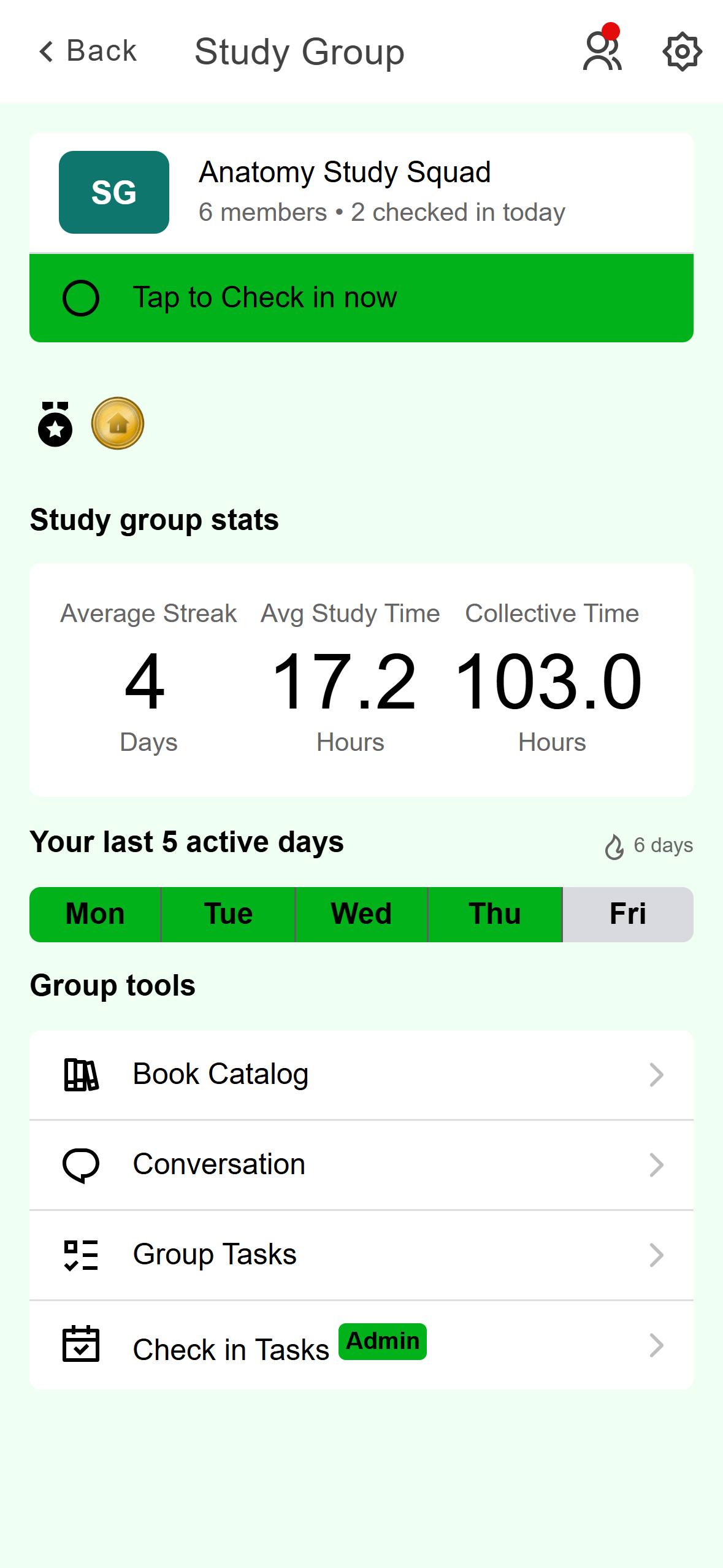
- How many members have checked in today.
- Tap to check in.
- Your current streak in this group.
- Your last five active days. Green means you checked in.
Mobile: The group screen before you check in. Tap the row. The row changes to You have checked in today, today's day turns green, and a message at the bottom shows your new streak.
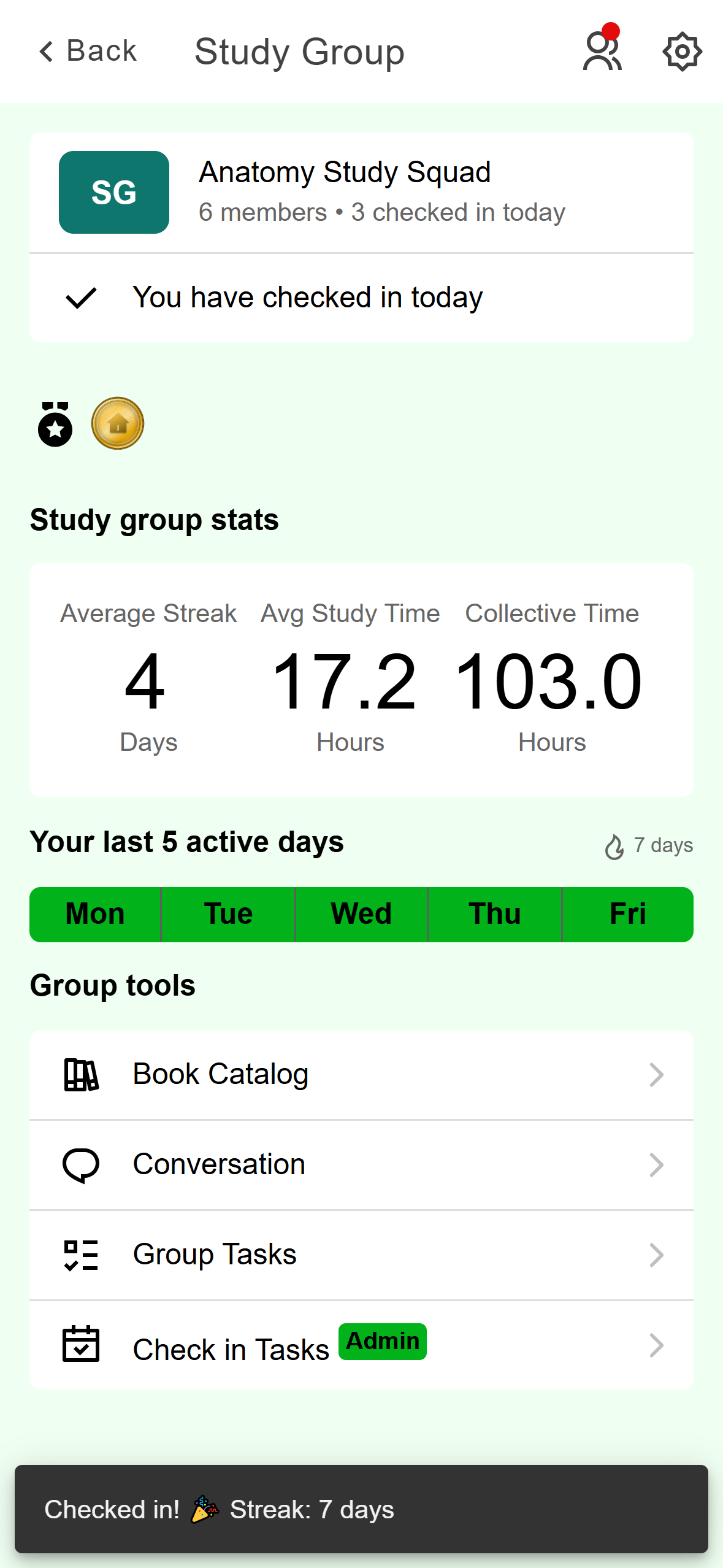
- The check-in row is replaced by this line.
- Today is now green.
- Your new streak.
Mobile: After you check in.
In your list of groups, one you haven't checked in to shows Not checked in today under its name. A dot on the Study groups row of the You tab also appears when a check-in is waiting on an active day.
If your phone has no connection when you tap, it saves the check-in and sends it when you're back online. It still counts for the day you tapped, as long as it reaches Acadeva within 5 days.
If your admin has set a check-in task for today, the row also has a Tasks label. Tapping it opens the task first, and you're checked in once you've done it.
Click Study Groups in the left rail and open your group. The Overview tab starts with a Today card that shows your streak, a line saying you haven't checked in today, and the Check in button.
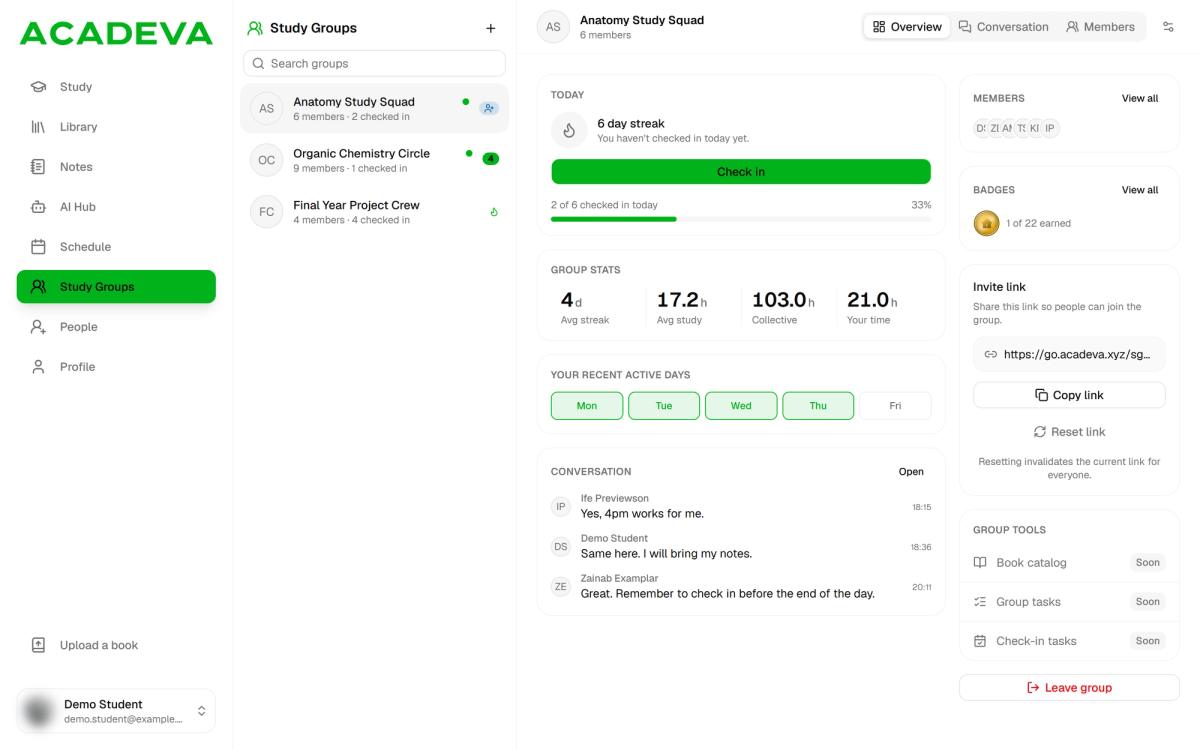
- Your streak and today's status.
- Click to check in.
- How many members have checked in today.
- Your recent active days. Green means you checked in.
Desktop: The Today card before you check in. Click Check in. The button changes to Checked in and stays switched off for the rest of the day. A message shows your streak, and a flame appears next to the group in your list.
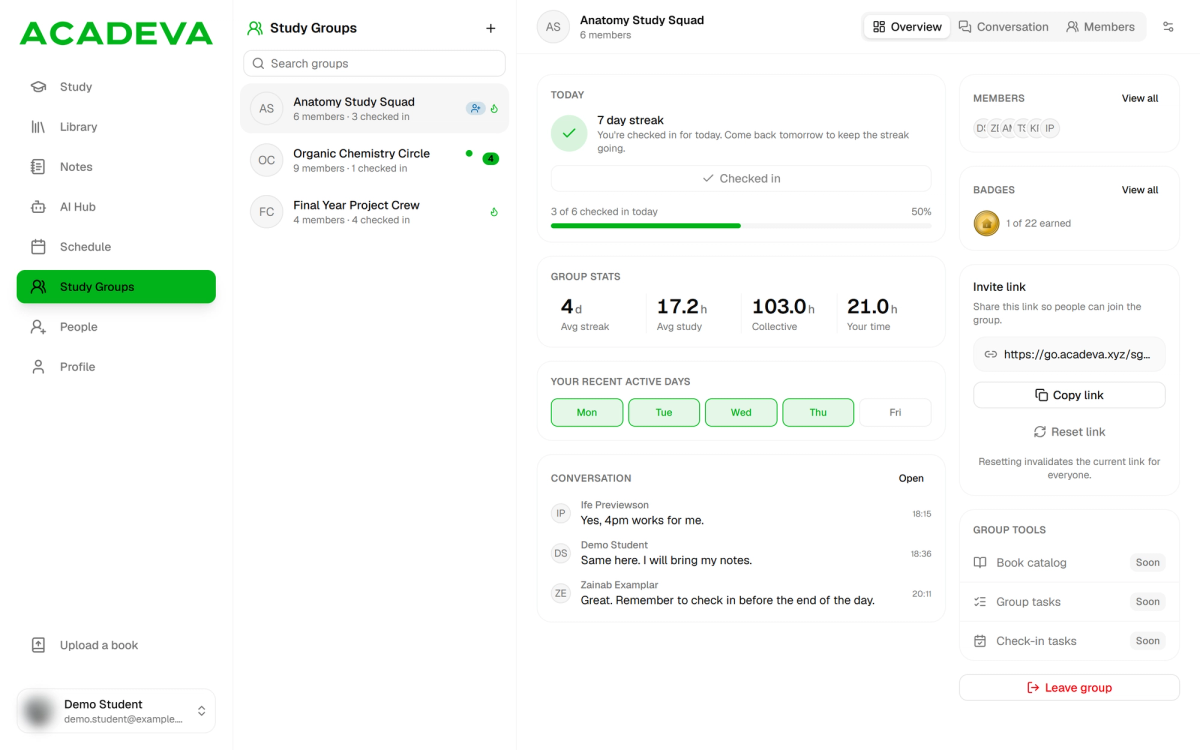
- Your streak went up by one.
- Checked in. You can't check in again today.
- A flame means you've checked in to this group today.
Desktop: After you check in.
A dot next to a group in your list means it's an active day and you haven't checked in to that group yet. Desktop doesn't have check-in tasks yet, so there is nothing else to do first. If the desktop app can't reach Acadeva, the check-in isn't saved: the app shows an error and the button goes back, so click it again.
When there's no check-in button
The group screen shows one of three things instead of the button:
- Already checked in. The phone says "You have checked in today". Desktop shows a Checked in button that's switched off. You can only check in once a day.
- Not an active day. The phone says "Today is not an active streak day". Desktop shows a Rest day button that's switched off. There is nothing to do, and your streak is safe.
- On holiday. An admin has turned on holiday mode. Check-ins and streaks pause for everyone, and a streak that was alive when the holiday started is still alive when it ends.
During a holiday the phone shows a line saying streaks are frozen where the check-in row would be.
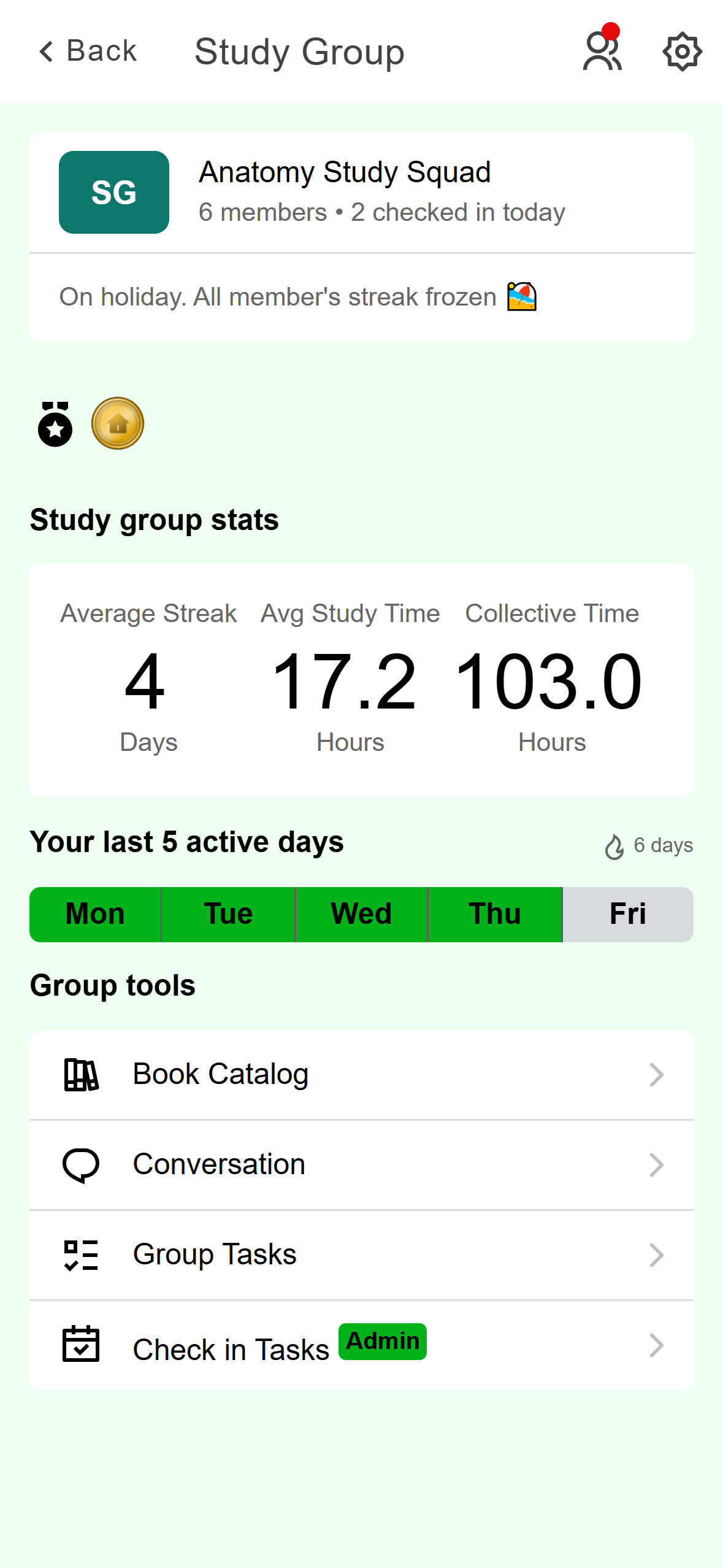
- No check-in row while the group is on holiday.
Mobile: A group on holiday.
During a holiday the button reads On holiday and is switched off.
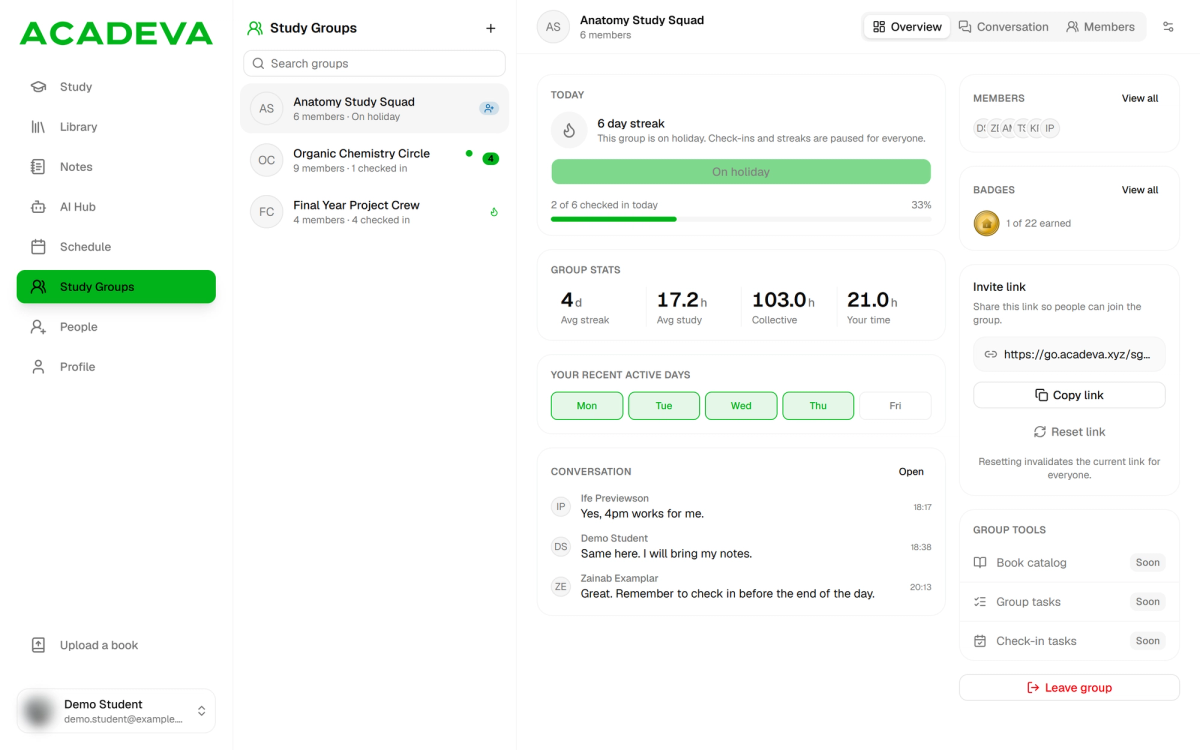
- The button is switched off.
- The group list says On holiday too.
Desktop: A group on holiday.
See how everyone is doing
On the group screen, tap the people icon at the top right to open Group Members. Each person has a strip of their last five active days and a streak count.
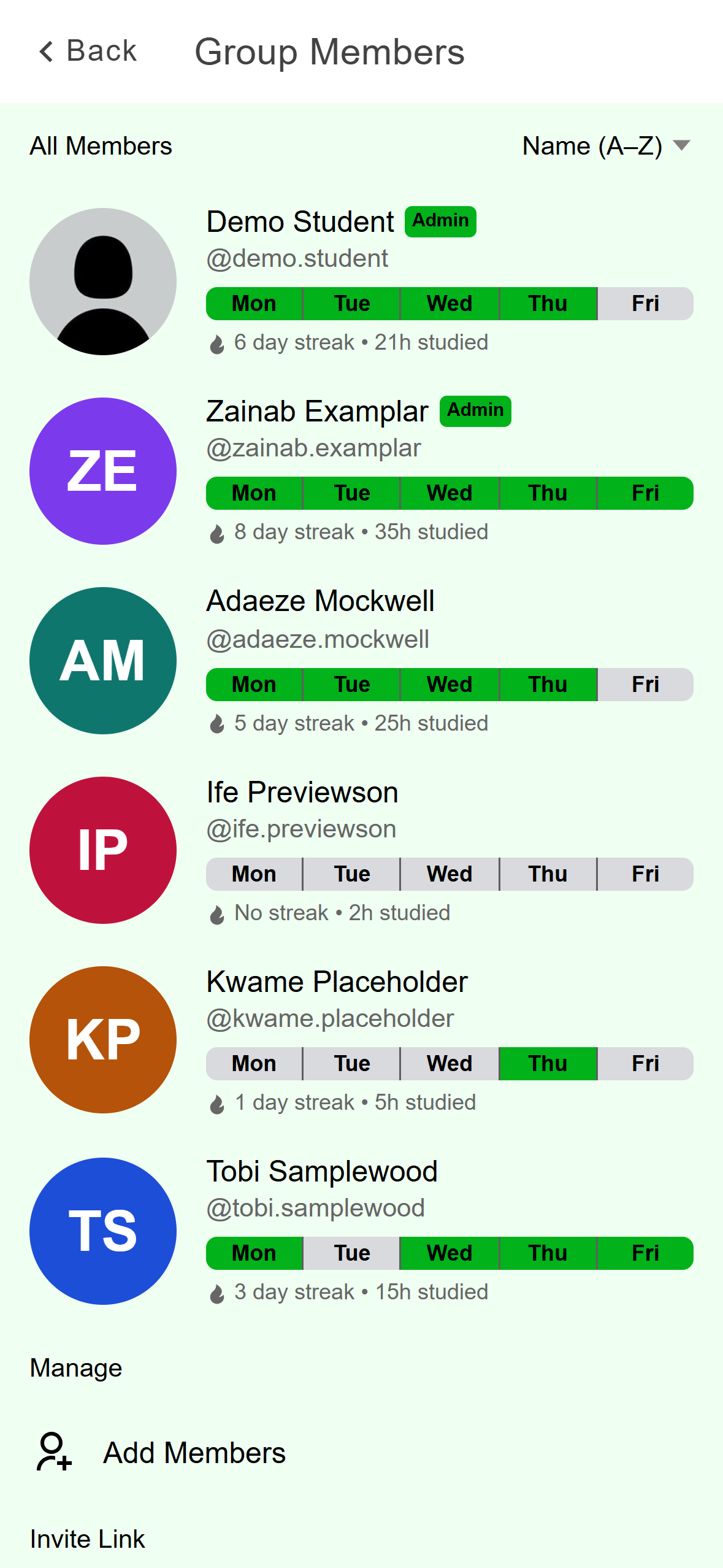
- A 5 day streak. Today is grey only because she hasn't checked in yet.
- No streak. An active day was missed.
- Only yesterday is green, so the streak is back at 1.
Mobile: Each member's last five active days.
Open the group and click the Members tab. Each row shows the streak, whether the person is Checked in or Not checked in today, and their recent active days.
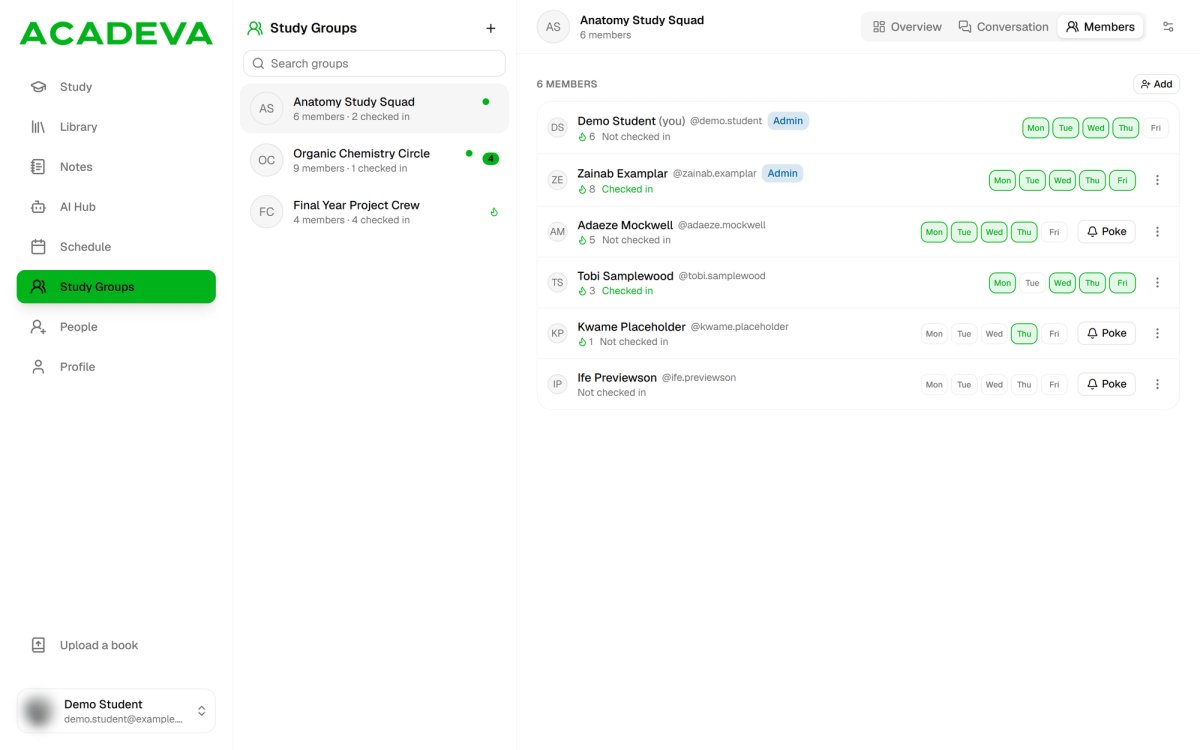
- Streak and today's status.
- Recent active days. Green means a check-in.
- Poke. Only on members who haven't checked in today.
Desktop: The Members tab.
Poke a member
A poke is a nudge for someone who hasn't checked in yet. Any member can poke, not only admins. You can poke a member once a day, only while they haven't checked in, and not while the group is on holiday. The phone also only offers it on days the group counts.
On Group Members, tap the person and choose Poke to check-in. The app confirms the poke, and their row then says "You poked today".
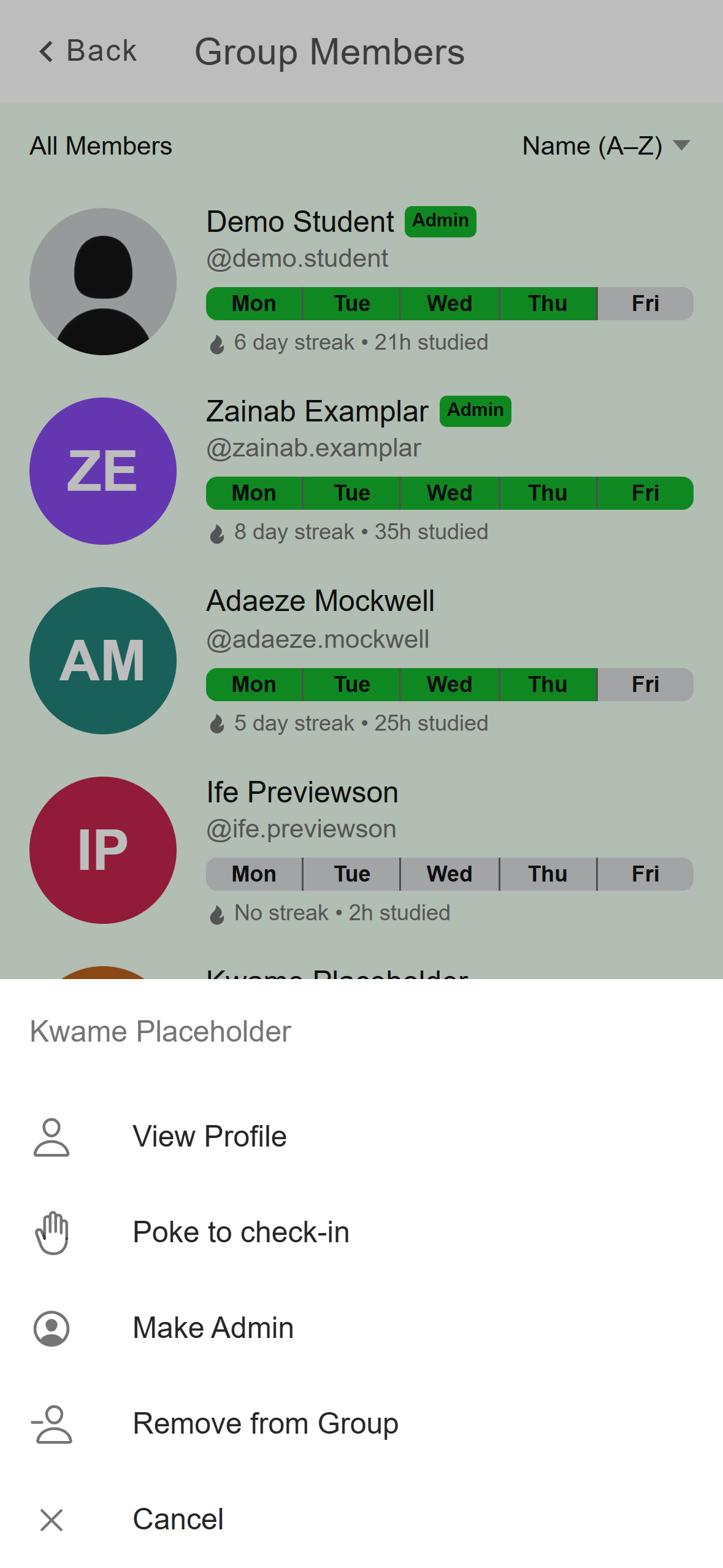
- Only shown for a member who hasn't checked in today.
Mobile: The member menu.
On the Members tab, click Poke on their row. The button changes to Poked and a message names the person you poked.
A poke may not reach the member as a notification. If it matters, tell them in the group chat too.
If it doesn't work
- The button is missing. Check the three cases above: already checked in, not an active day, or on holiday.
- It says the group is on holiday, or that it isn't an active day. An admin changed the group's settings after you opened it. Go back and reopen the group.
- Your streak went to zero. You missed an active day. Ask an admin which days the group counts, since they can change them in the group's settings. Your next check-in starts a new streak at 1.
- A check-in landed on the wrong day, or the day changes at the wrong hour. Acadeva uses the time zone saved on your account, which can differ from your device's if you've travelled. Open your streak (You tab on the phone, the streak tile on Study on desktop), then Streak settings, and check Timezone. You can change it once every 7 days, and it starts the next day.
- Nothing seems to happen on the phone. It may be offline. The phone then says the check-in is saved and will sync, and it sends it when you're back online.
- A poke didn't go through. The person may have checked in a moment ago, or you may have already poked them today.
Manage your group: members, roles, and settings covers active days and holiday mode.